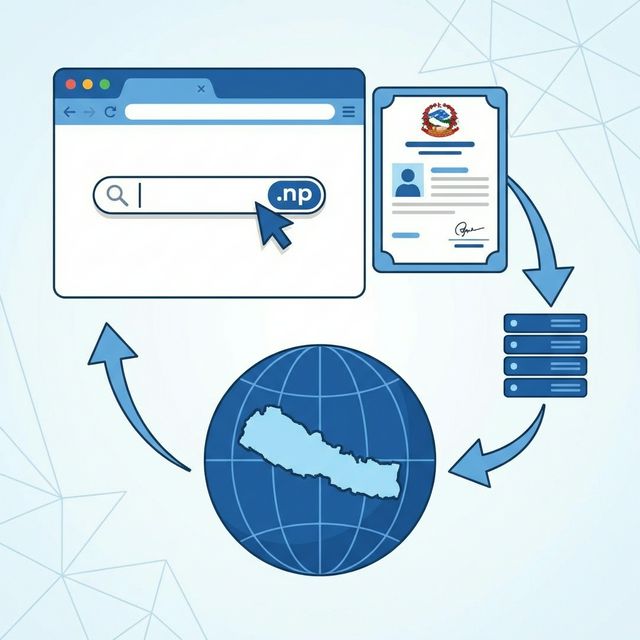
What is a .np Domain?
The .np domain is Nepal's country code top-level domain (ccTLD), managed by Mercantile Communications Pvt. Ltd. under delegation from IANA (Internet Assigned Numbers Authority). Unlike most country code domains worldwide that charge annual fees, Nepal's .np domains are available completely free of charge. This makes Nepal one of the very few countries where you can get an official country domain at zero cost.
The .np domain system includes several second-level domains like .com.np (commercial), .org.np (organizations), .edu.np (educational institutions), .gov.np (government), and .net.np (network services). For most individuals and businesses, .com.np is the go-to choice.
Having a .np domain signals to both users and search engines that your website is connected to Nepal. It provides geographic relevance for SEO, brand credibility, and a professional online identity that simply using a free subdomain from Blogspot or WordPress.com cannot match.
Why Choose .com.np Over .com?
The question many people ask is: "Should I register a .com.np or buy a .com domain?" Both have advantages, and the right choice depends on your goals.
Advantages of .com.np
- Completely Free: No registration fee, no annual renewal fee. Your total cost is literally zero.
- Geographic SEO Boost: Google gives local domain extensions a ranking boost for location-specific searches. If someone in Nepal searches "best laptops," a .com.np site gets a slight advantage over a generic .com site, all else being equal.
- Trust & Credibility: For Nepali audiences, a .com.np domain signals local presence and authenticity. Government organizations and educational institutions require .np domains.
- Name Availability: Most good .com domains are taken. With .com.np, you can still get short, memorable domain names that would cost thousands on .com.
- No Payment Hassles: No international credit card needed. Everything is free.
When .com is Better
- Global Audience: If you target users worldwide, .com is more recognizable internationally.
- Brand Protection: If you are building a brand that might expand beyond Nepal, owning the .com version is important.
- Registration Speed: .com domains activate instantly. .com.np requires manual verification that takes 2-7 days.
- Control: .com domains can be managed through any registrar. .com.np is locked to Mercantile's system.
My recommendation? If your primary audience is in Nepal, start with .com.np. It is free, professional, and optimized for local SEO. You can always buy a .com later and redirect it. This very blog uses a .com.np domain with free Cloudflare Pages hosting, making the total operating cost exactly zero.
Types of .np Domains Available
| Domain | Purpose | Who Can Register | Cost |
|---|---|---|---|
| .com.np | Commercial | Anyone | Free |
| .org.np | Organizations | Registered organizations | Free |
| .edu.np | Educational | Schools, colleges, universities | Free |
| .gov.np | Government | Government bodies only | Free |
| .net.np | Network | ISPs, network providers | Free |
| .np (direct) | Premium | Registered businesses | NPR 5,000/2 yrs |
For most individual users and small businesses, .com.np is the best choice. It is free, unrestricted, and the most commonly used .np subdomain.
Who Can Register a .com.np Domain?
Any individual with a valid Nepali citizenship document or any business registered in Nepal can get a .com.np domain. You do not need a business registration to register a .com.np domain — this is a common misconception. Personal blogs, portfolio websites, and hobby projects are all perfectly valid uses.
However, you can only register domains that you have a legitimate claim to. Mercantile will reject registrations of trademarked names, celebrity names, or domains that appear to be registered for cybersquatting purposes. They also verify that the contact information you provide is real.
Documents Required
Before you begin the registration process, make sure you have these documents ready. Poor document quality is the number one reason applications get rejected.
- Citizenship Card Scan: Clear, readable scan or photo of both sides of your Nepali citizenship. The image must be sharp enough for the reviewer to read the printed text.
- Cover Letter: A simple letter requesting the domain. Include: your full name, desired domain name, purpose of the website, and your contact details. Keep it professional but brief.
- Email Address: A working email for account verification and domain management notifications. Use a permanent email you regularly check.
Cover Letter Template
Here is a simple template you can use. Modify it with your details:
To,
The Domain Registration Team
Mercantile Communications Pvt. Ltd.
Kathmandu, Nepal

Subject: Request for .com.np Domain Registration

Dear Sir/Madam,

I would like to register the domain name "yourdomain.com.np"
for the purpose of [personal blog / business website / portfolio].

My details:
Full Name: [Your Full Name]
Citizenship Number: [Your Citizenship Number]
Contact: [Your Phone Number]
Email: [Your Email]

I have attached a copy of my citizenship document for verification.
Thank you.

Sincerely,
[Your Name]
[Date]
Step-by-Step Registration Process
Step 1: Check Domain Availability
Visit register.com.np and use the domain search tool to check if your desired domain name is available. Try to keep your domain name short, memorable, and easy to spell. Avoid hyphens and numbers unless they are part of your brand name.
If your first choice is taken, try variations. For example, if "technepal.com.np" is taken, try "techinnepal.com.np" or "nepaltechguide.com.np". Your domain name is your brand's digital identity, so take time to choose wisely.
Step 2: Create an Account
Click on "Register" or "Sign Up" on the Mercantile domain registration portal. Fill in your personal details including full name, address, phone number, and email. Use the same name that appears on your citizenship document — mismatches will cause your application to be rejected.
Step 3: Submit Domain Registration Request
Once logged in, navigate to the domain registration page and enter your desired domain name. You will need to fill in the registration form with:
- Domain Name: The domain you want (without .com.np — that is added automatically)
- Nameservers: Enter at least 2 nameservers. If you are using Cloudflare, you will get these after signing up. If you do not have nameservers yet, you can use Mercantile's default nameservers temporarily and change them later.
- Purpose: Brief description of what the website will be used for
Step 4: Upload Documents
Upload your citizenship scan and cover letter. Both documents should be in PDF, JPG, or PNG format. File size limit is typically 2MB per document. Make sure your citizenship document is clearly readable — blurry uploads are the most common cause of rejection.
Step 5: Wait for Verification
After submission, Mercantile's team manually reviews your application during business hours (Sunday–Friday, 10 AM–5 PM Nepal time). Processing typically takes:
- Normal: 1-3 business days
- During peak times: 3-7 business days
- If documents need resubmission: Add 2-3 more days after resubmission
You will receive an email notification when your domain is approved. Check your spam folder if you do not see it in your inbox.
Step 6: Domain is Active!
Once approved, your domain is active and pointed to whatever nameservers you specified during registration. You can now set up your website by configuring DNS records.
Setting Up DNS Records
After your domain is registered, you need to configure DNS records to connect it to your hosting. DNS (Domain Name System) is what translates your domain name into the IP address of your server. Here are the most common DNS records you will need.
Essential DNS Records
| Record Type | Purpose | Example Value |
|---|---|---|
| A | Points domain to IPv4 address | 192.168.1.1 |
| AAAA | Points domain to IPv6 address | 2606:4700::1 |
| CNAME | Points subdomain to another domain | yoursite.pages.dev |
| MX | Email server routing | mx.zoho.com |
| TXT | Domain verification, SPF, DKIM | v=spf1 include:... |
Connecting Your .com.np Domain to Cloudflare
Cloudflare is the recommended DNS and CDN provider for .com.np domains. It is free, provides global CDN caching, DDoS protection, free SSL certificates, and analytics. Here is how to set it up.
Step 1: Create Cloudflare Account
Go to cloudflare.com and sign up for a free account. Verify your email address.
Step 2: Add Your Domain
Click "Add a Site" and enter your domain name (e.g., yourdomain.com.np). Select the Free plan. Cloudflare will scan your existing DNS records.
Step 3: Get Cloudflare Nameservers
Cloudflare will provide you with two nameservers, something like:
aria.ns.cloudflare.com
larry.ns.cloudflare.com
Step 4: Update Nameservers at Mercantile
Log in to your Mercantile account at register.com.np. Go to your domain management page and update the nameservers to the Cloudflare ones. Submit the change request. Mercantile processes nameserver changes within 1-2 days.
Step 5: Configure DNS on Cloudflare
Once the nameserver change propagates, you can manage all your DNS records through Cloudflare's dashboard. Add A records, CNAME records, and whatever your hosting requires. Changes on Cloudflare are nearly instant.
Step 6: Enable SSL
In Cloudflare's SSL/TLS settings, set the encryption mode to "Full (strict)" if your origin server has SSL, or "Full" if it uses a self-signed certificate. Cloudflare provides a free Universal SSL certificate that works with all .com.np domains.
Connecting to Different Hosting Platforms
Here is how to connect your .com.np domain to popular hosting platforms.
Cloudflare Pages (Free Static Hosting)
This is what I use for this blog. Deploy your static site to Cloudflare Pages, then add a custom
domain in the Pages project settings. Add a CNAME record in Cloudflare DNS:
@ → yourproject.pages.dev. SSL is automatic. Total cost: free hosting + free domain =
NPR 0.
Hostinger
Point your domain to Hostinger's nameservers (they provide these in your dashboard), or use Cloudflare DNS with A records pointing to your Hostinger server's IP address.
DigitalOcean
Add your domain in DigitalOcean's networking dashboard. Create an A record pointing to your Droplet's IP address. If using Cloudflare, add the A record there instead.
WordPress.com
WordPress.com paid plans allow custom domains. Add your .com.np domain in Settings → Domains, then configure DNS as instructed by WordPress.
Domain Renewal Process
.com.np domains are registered for 2 years by default and must be renewed before expiration. The renewal is also free. Here is the process:
- You will receive email reminders 30 days and 7 days before expiration.
- Log in to your Mercantile account at register.com.np.
- Navigate to your domain and click "Renew."
- Upload an updated cover letter requesting renewal.
- Submit and wait for approval (1-3 business days).
Important: If you miss the renewal deadline, your domain enters a grace period of about 30 days. After that, it becomes available for anyone to register. Set calendar reminders!
Common Problems & Fixes
"My Application Was Rejected"
- Blurry citizenship scan: Retake the photo in good lighting. Use a scanner if possible.
- Name mismatch: The name on your application must exactly match the name on your citizenship document.
- Domain is trademarked: You cannot register domains that match established brand names or trademarks.
- Missing cover letter: Some applications are rejected simply because the cover letter was not attached.
"Domain Not Resolving"
- DNS propagation: After changing nameservers, wait 24-48 hours for global propagation.
- Wrong nameservers: Verify the nameservers in your Mercantile account match what Cloudflare provided.
- Missing DNS records: Make sure you have added the correct A or CNAME records in your DNS provider.
"SSL Certificate Not Working"
- Cloudflare SSL mode: Set to "Full" or "Full (strict)" instead of "Flexible" to avoid redirect loops.
- Wait for issuance: Free Cloudflare SSL can take up to 24 hours to issue initially.
- Mixed content: Ensure all resources on your site load via HTTPS, not HTTP.
"Cannot Change Nameservers"
Nameserver changes through Mercantile require manual processing. If your change request is pending for more than 3 days, send a follow-up email to their support. Changes submitted on Fridays may not process until the following Sunday.
Pro Tips for .com.np Domain Owners
- Register multiple domains: If you have a brand, register common variations and misspellings. They are all free.
- Use Cloudflare DNS: Even if you do not use Cloudflare hosting, their DNS is the fastest and most reliable free option.
- Set up email: Use Zoho Mail's free plan to get professional email addresses like [email protected].
- Enable DNSSEC: For added security, enable DNSSEC through Cloudflare to protect against DNS spoofing attacks.
- Keep contact info updated: Ensure your email on Mercantile is current so you receive renewal reminders.
- Back up your DNS config: Screenshot or document your DNS records. If something breaks, you can quickly restore settings.
- Create a professional website: Pair your free .com.np domain with free Cloudflare Pages hosting for a completely free professional web presence.
Frequently Asked Questions
Is .com.np really free?
Yes, absolutely free. No registration fee, no annual fee, no hidden charges. Mercantile Communications provides this service as part of Nepal's internet infrastructure.
How long does registration take?
Typically 1-7 business days. The delay is because Mercantile manually verifies each application. No weekend processing.
Can I transfer my .com.np domain?
You can change ownership by contacting Mercantile with documentation from both the current and new owner. However, you cannot transfer .np domains to international registrars like GoDaddy or Namecheap — they must remain with Mercantile.
Can foreigners register .com.np domains?
No, .com.np registration requires Nepali citizenship or a Nepal-registered business. Foreigners can register a .com or other international domains instead.
Can I use .com.np with ecommerce?
Absolutely. Many Nepali ecommerce businesses use .com.np domains. It builds trust with local customers and helps with local SEO rankings.
What happens if I forget to renew?
Your domain enters a grace period (about 30 days). If you still do not renew, the domain expires and becomes available for anyone to register. You may permanently lose it.


Comments (7)
Leave a Comment
Finally got my domain approved after 4 days! The cover letter template saved me so much time. Thanks Rabi!
My application got rejected because the citizenship photo was blurry. Rescanned it properly and got approved next day. Wish I'd read this first!
Does it work with GitHub Pages? I want to host my portfolio there with custom .com.np domain.
Absolutely! Add your .com.np domain in GitHub Pages settings, then create a CNAME record pointing to yourusername.github.io. Works perfectly.
Can I register a .com.np domain if I'm a student? I don't have any business registration.
Yes Karishma! You only need citizenship. No business registration required for .com.np. Many students use it for portfolios and blogs.
I registered 3 domains for my different projects. All free. This is probably the best thing about being Nepali on the internet lol.
The Cloudflare setup part was exactly what I needed. My domain was sitting idle for months because I didn't know how to connect it. Working now!